Create, Import, Play, Edit, and Export your Music, Instrument, and Rhythm
 |
Free download for Windows Mirror: Softpedia, Portable Old versions |
 |
I want the Mac version On a Mac? Let us know, we’ll build it if enough people ask. |
Note:
Extract the zip file so the 2 files (setup.exe and setup.dat) are in a folder, then run setup.exe. After running setup.exe, if you see the “Windows protected your PC” window with the “Don’t run” button, click “More info“, then click “Run anyway“.
 Data – Download many free Sets, Instruments, and Rhythms.
 An example of the Assistant at work.
How to Import a Yamaha Tyros Set?
 Sample sets: KORG 1, KORG 2, Yamaha
 How to use it as a VST plugin
 Skin Editor – Create Skin files or generate protected skins in a single Skinz file
 Screenshots
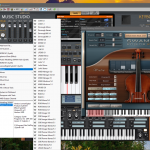
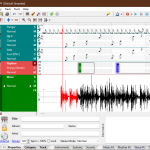
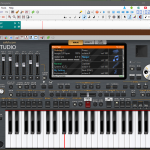
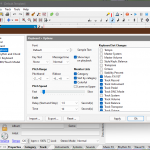
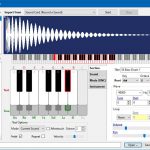
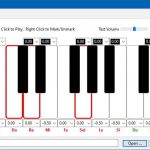
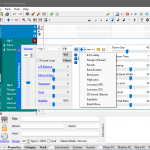
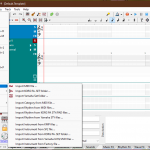
Features
• Create, Play, and Edit your Music
• Define Categories, Tracks, and Rhythms
• Create and Edit Virtual Instruments from Real Sounds and tune them
• Import KORG and Yamaha Instruments and Rhythms
• Thousands of Musical Instruments (Multi-sample and recorded from real instruments)
• DNC Instruments with After-touch
• Thousands of rhythms (Including intros, Variations, Fills, a Break, Endings, and Pads) with Real chords (Press 3 or more keys)
• Drum kits (General, Arabic, Persian, …)
• Import SF2 Instruments
• Import Korg Pa and Yamaha Tyros Sets
• Scan/Load VST plugins
• Create and Edit Music Systems (Q.T., 1/8, …)
• Connect Your MIDI Keyboard and Play or Record in Real-time
• Use Game Joystick as pitch-bend/modulation
• Virtual Keyboard (Use PC Keyboard and Mouse)
• Make a Multi-Song from a single Song (Duplicate Track and Change Frequency)
• Import MIDI files, Change Instruments, Edit, Add Filters/Effects, and Create New Music
• Export to an Audio file and share your Music
• Create a Stand-alone file containing Instruments, Systems, Rhythms …
• Filters: Band Pass, Echo, Equalizer, Flanger, Reverb, 3D Sound, Bass Booster, …
• Effects: Key Repeat, Key Connection, Pitch Shake, Volume/Pan Shake
• Intelligent Pedal
• and more …
What’s New
11.5.0
• New Translations: Azerbaijani, Chinese, French, Italian, Japanese, Kurdish, Portuguese, Romanian, Russian, Spanish, Turkish, Uzbek, Vietnamese
• Language menu (Options button)
• Faster closing with MIDI devices connected
• Fixed AAC/M4A export
• Improved VST3 plugin stability
• Other improvements and bug fixes
11.4.0
• MIDI hot-plug
• Music Studio has VST3 version now
• New Translations: Arabic, German, Hindi
• Shortcut Key option
• Assistant button (linked to the Blucta AI app)
• Reduced CPU usage
• Improved note selection
• Other improvements and bug fixes
11.2.0
• Improved the quality of the virtual keyboard skin when resizing
• Added a skin sharpening button to the virtual keyboard
• Other improvements and bug fixes
11.1.0
• Select a track to display its notes as shadows on other tracks
• Play selected notes in a loop
• Improvements and bug fixes
11.0.4
• Improvements and bug fixes
11.0.0
• Native support for VST3 plugins (You need to scan again)
• Air-windows plugin bundle (300+ FX, by Chris Johnson, under the MIT License)
• Added support for MIDI Clock to sync tempo and transport with devices and DAWs
• Added support for Breath Controller (MIDI Expression)
• Editable Instrument family list to Categorize Instruments of a Set
• Distortion FX
• Chorus FX
• Fixes for set import (sections, sounds, factory data, chords, keyboard sets, etc.)
• Fixes for pitch-bend and ribbon
• Reduced memory usage
• Other improvements and bug fixes
10.2.0
• Added Robot FX
• Pitch shift option to make sample tempo constant (Instrument Manager > Render)
• Music/Set file Report (Tools menu)
• Refresh button for MIDI list (Options > Device)
• Faster KMP import
• Improvements and bug fixes
10.1.0
• Using the Dark Theme even if Windows Light Mode is active
• Adjust Reverb level for importing the SF2 files (in Options)
• Improvements and bug fixes
10.0.5
• Improved chord playing
• Improved stability
• Improved KMP/KSF exporting
• Other improvements and bug fixes
10.0.0
• It can be used as a VST plugin too
• New dark theme compatible with Windows 10 and 11
• New section for editing, creating, and managing themes
• Manual skin color settings
• Added FX to the track control section
• Added Pitch Shift FX
• Improved icon
• 50% reduction in CPU usage
• Improvements and bug fixes
9.4.0
• Unlimited selection of MIDI input and output simultaneously
• Favorites menu in file dialogs
• Enhanced overall user experience
• Improvements and bug fixes
9.3.0
• Better accessibility for blind users, Thanks to Mr. Mohammad Hossein Ghezelsofla
• Improved Yamaha STY Import/Export
• Import/Export Yamaha Pads
• Improved KORG Set Import
• Improvements and bug fixes
9.2.6
• Improvements and bug fixes
9.2.0
• Support for 24-bit and up to 192 kHz audio output (depending on the hardware)
• Writing music in sections and putting them together in the main tracks
• Improvements in the import of KORG sets
• Importing KORG style and pad files in STG and PDC formats
• Importing the KORG Pa5X sets in KST format
• Improvements and bug fixes
9.1.0
• Select 4 Keyboard Sets for each Style
• VST Favorites and Search
• New Render tools in Instrument Manager
• You can use external wave editors in Instrument Manager to edit sample waves
• Change the split point by holding the SPLIT/MIX button
• Change the portamento method by holding the MONO or LEGATO button
• Indonesian Language (Thanks to Syukur)
• Improvements and bug fixes
9.0.7
• Change the name of the keyboard sets to the desired name
• Improvements and bug fixes
9.0.0
• Load script for each DNC by holding the Aftertouch button
• Some scripts to add capabilities to the instruments
• Create a settings page to change script parameters
• Added Track Control bar to control Pitch, Volume, Balance, Modulation, and effects during a track
• Waveform function to create waveform changes in the Track Control section
• Import compressed samples from KORG sets
• Import KSC files
• Import SF3, SF4, SFZ and SFARK files
• Import styles from Yamaha’s PPI, PPF, and YEP files (without samples)
• Import and export ABC Music Notation files (notes written as text)
• Export STY files for Yamaha keyboards (without samples)
• New RAW Player tool for playing and extracting the sounds hidden in non-audio files
• Save the selected Portamento method for each instrument in the set
• Improvements in the import of SF2 files
• Improvements in the export of MID files
• Improvements in playing chords
• Improved Aftertouch for MIDI controllers
• Optimized skin and default set
• Increasing the maximum duration of samples and sounds/loops up to 5 minutes
• An option for the automatic Tempo Lock method
• An Option for turning off Pads with Synchro
• An option for changing the rhythm after pressing the style buttons
• Improvements and bug fixes
 Privacy policy
Hallo
Hi 👋 my instagram video
Wow
Set musik karo sofeh pliiss…
Set patam patam plis sofeh
بشارجمعه يوسف
ايقاعات جوبي عراقي
We want editing from the program Developers to import all Version of Yamaha And all the Yamaha formulas
Is this have playlist feature.
RP
امیر علی کریمی
Ccghh
Jhggv
Jjgf
Pashto set
MILSK
دكتور إسحاق ادريس
دكتور إسحاق ادريس
Nhjjj
ترانيم
…
tarpa
Cette application je l’adore tellement.
71257d6e641fc8e
Точики
احمد احمد